

Microsoft today released a couple of new builds to Windows 11 Insiders on the Beta and Dev channels. Both builds are actually minor releases, at least according to the official changelog.
Dev builds now come from the RE_PRELEASE and include features that go ahead of the Windows 11 final version. Also, they again show a desktop watermark.
Changes in Windows 11 Build 22454 from the Dev channel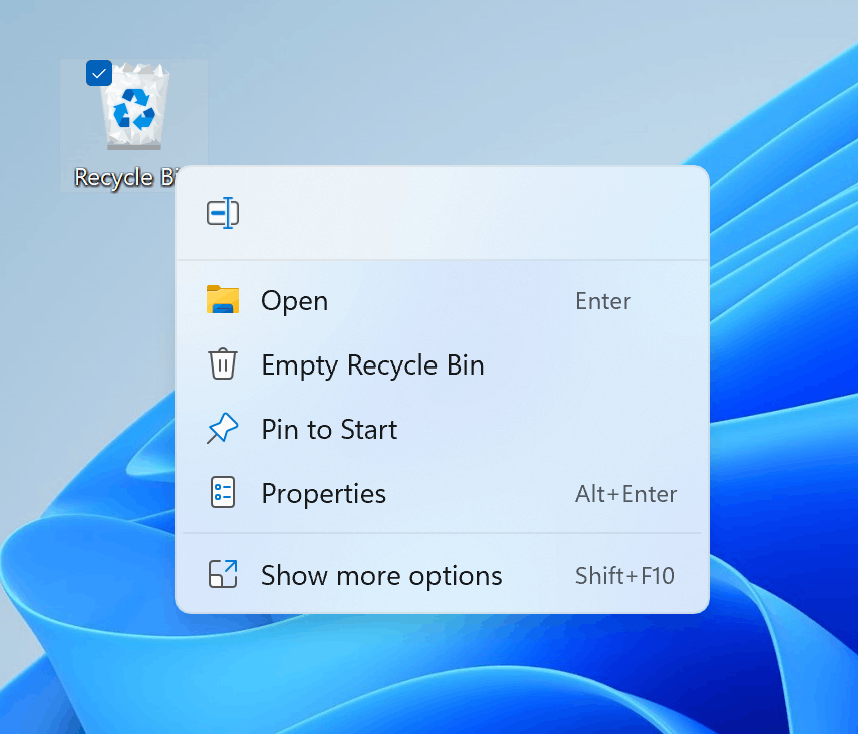
- Right-clicking on Recycle Bin on the desktop now uses the new modern context menu.
- Added an option when right clicking a network share in File Explorer to pin it to Quick Access without having to click Show more options.
- Microsoft has begun releasing an updated version of the Korean IME with adjustments made based on Windows Insider feedback. The updated version of the Korean IME follows the new visual design of Windows 11 with acrylic in the candidate window, a new selection visual, and dark mode support. It also improves improved performance and compatibility.
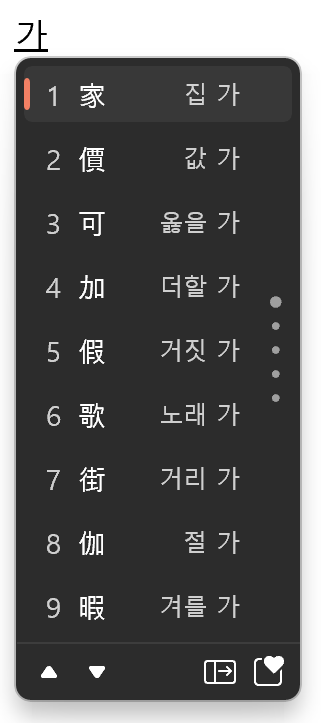
Note: The updated Korean IME is rolling out to a subset of Insiders in the Dev Channel first, to help the company quickly identify issues that may impact performance and reliability. Over time, it will roll out to everyone in the Dev Channel. Please file feedback via Feedback Hub under Input and Language > Text Input.
Besides the above new features, Build 22454 includes a huge number of fixes, and a number of known issues.
CHECK OUT THE OFFICIAL ANNOUNCEMENT FROM Here
What's new in Windows 11 Insider Preview Build 22000.184 (Beta)
The Beta channel update comes with mostly fixes. There are no new features in this release.
- Fixed an issue where the new learn more info in OOBE about Windows Hello wasn’t translated for non-English languages.
- Fixed an issue where a small set of languages were missing translations across the UI in Windows 11.
Again, there are known issues in this release. Learn more about them here.
Thankyou!!


0 Comments